September/October Updates
Summary
Between 5 September and 26 October, the Claude connector learned readlists, every article gained an EPUB download, and articles opened in the last 30 days became readable offline on web and iPhone. Readplace also redesigned the readlist and reader, added a card that brings back past reads on the same subject, opened Gmail newsletter delivery to paid readers in limited slots, and gave the iOS app readlists, offline mode, EPUB downloads and swipe to mark read.
Lots landed since September. Here's what's new:
Claude connector: one click
Readplace is now in Claude's connector directory.
- Add it from the directory, approve one sign-in. No server URL to paste.
- Say "save the original sources to my readlist" and Claude saves it.
- It can list what's waiting, read an article (or its TL;DR) back to you, and mark things read.
- New: it knows your Readlists. "Save this to Work and Science" works.
https://claude.ai/directory/readplace

Download any article as EPUB
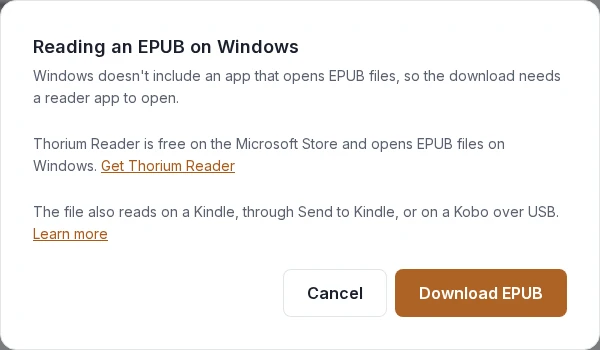
A Download EPUB button is now in the reader, on web and iOS.
- The file has the title, the TL;DR, the article and its images. Reads offline.
- Mac / iPhone: open in Books.
- Kindle: email it to your Send to Kindle address.
- Kobo, Boox, e-ink readers: copy over USB.
- Works on public /view links too if you want to share to someone, no account needed.
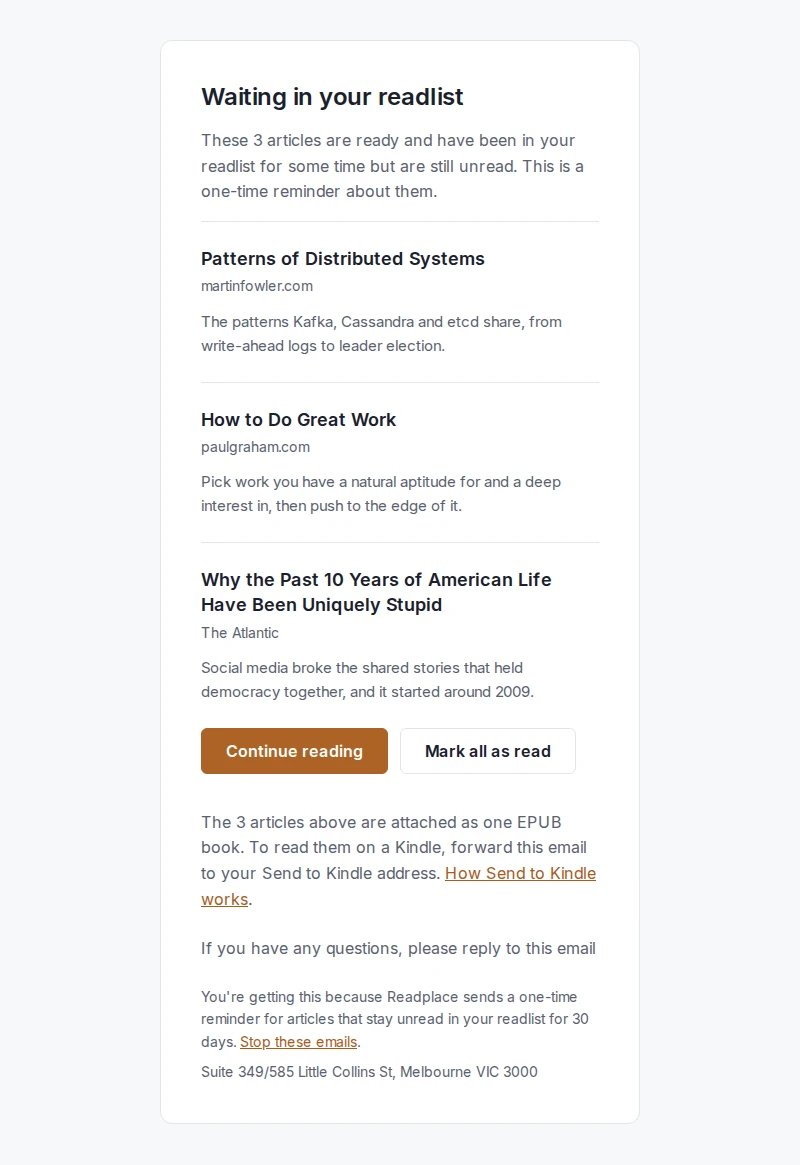
Bonus: a new reminder email for articles unread for 30 days attaches them as one EPUB digest. Forward it to Send to Kindle and you're done.
Read offline
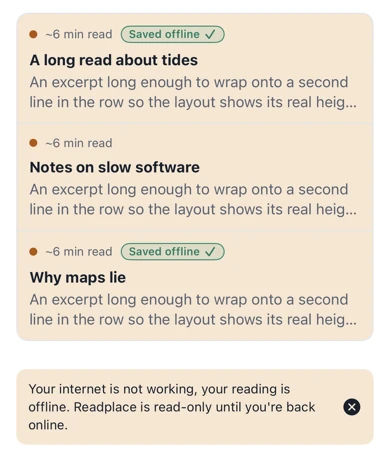
Offline Mode is on, web and iPhone.
- Any article you've opened in the last 30 days stays readable on that device with no connection, images included.
- "Download unread for offline" at the top of your readlist grabs the whole To Read tab in one press.
- Downloaded articles show a "Saved offline" tag. Nothing gets marked read, keep that in mind when you're back online :)
New readlist and reader design on Web (Mobile and Desktop)
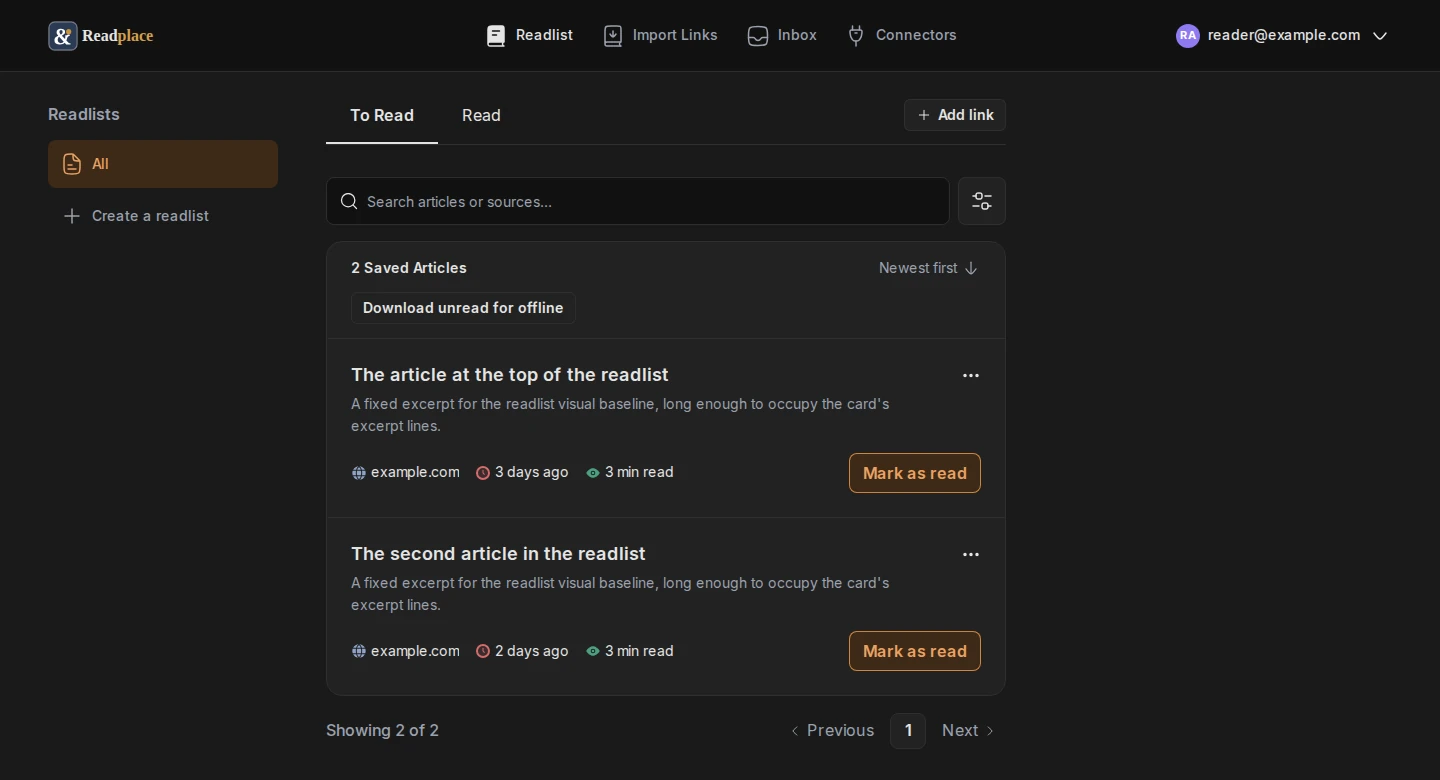
The readlist page got a full redesign:
- Readlists on the left, To Read / Read tabs, sort toggle.
- Search box plus filters by reading time and saved date.
- Move an article between readlists from the card menu, with Undo.
- Light and dark follow your account setting.
The reader too:
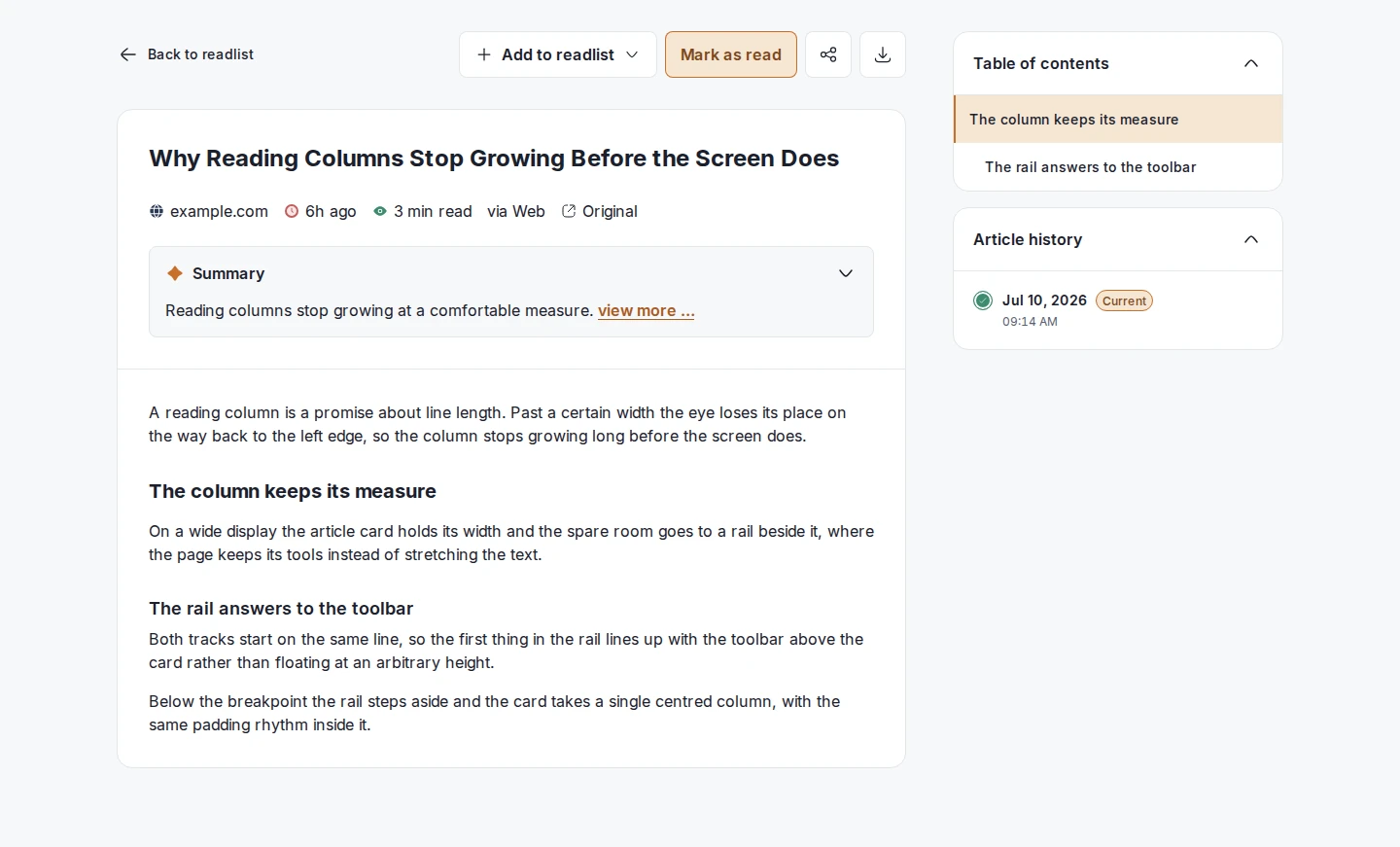
- No nav, no announcement banners. Just the article in a card.
- Table of contents (automatically extracted from the text) and article history in a side rail.
- Share dialog with the public link, WhatsApp, Facebook, X, email and Reddit.
- Tables now render properly and stack on phones.
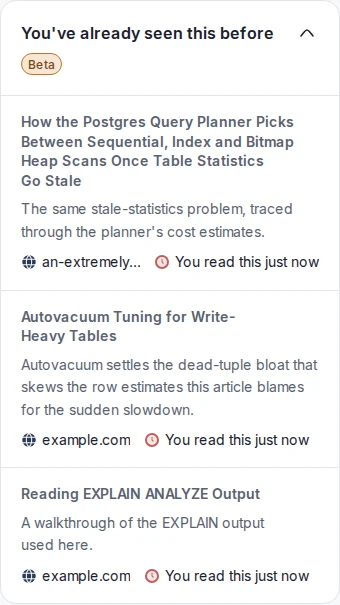
"You've already seen this before"
A new card in the reader rail.
- Lists up to 3 articles you already marked as read on the same subject.
- Explains why each one connects and when you read it.
- Only appears when there's a real match. It's Beta, so email Readplace if you spot anything weird.
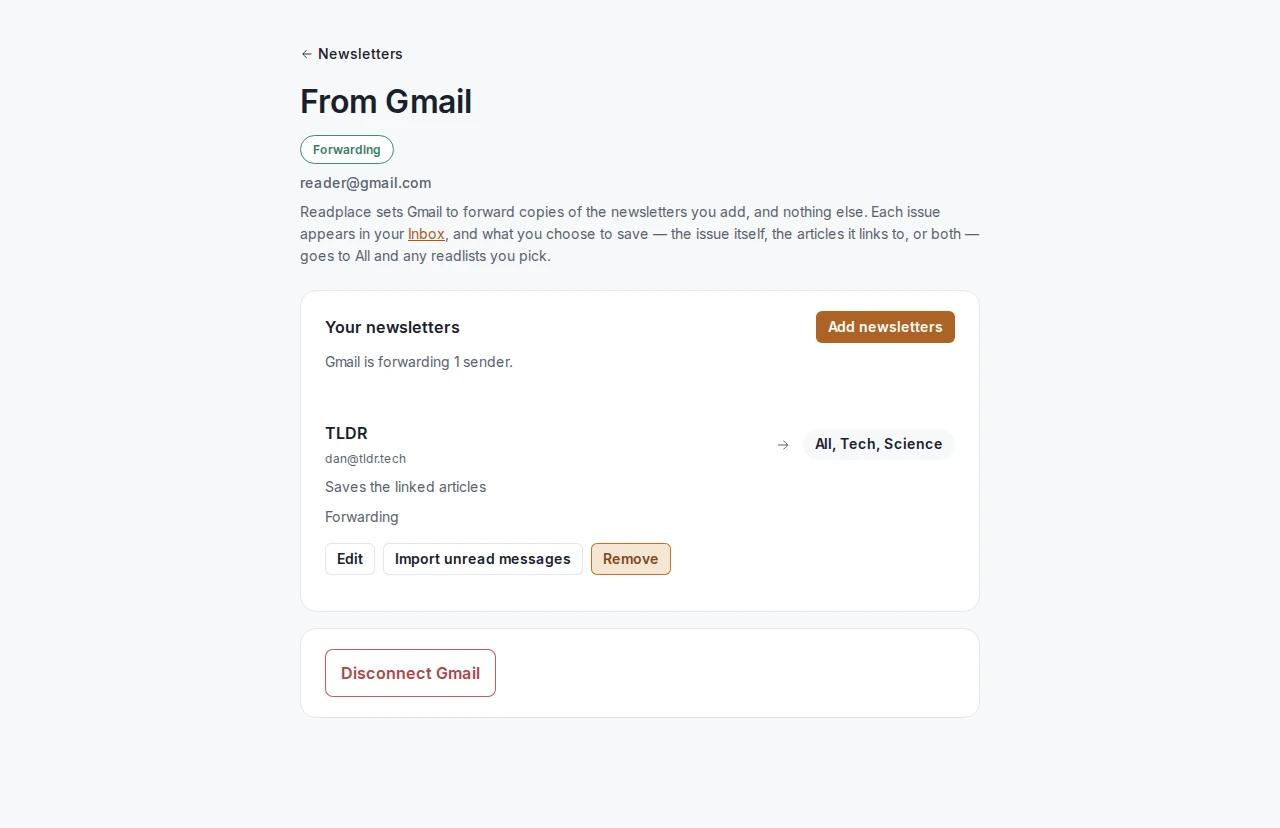
Gmail integration is now AVAILABLE (limited slots, paid only)
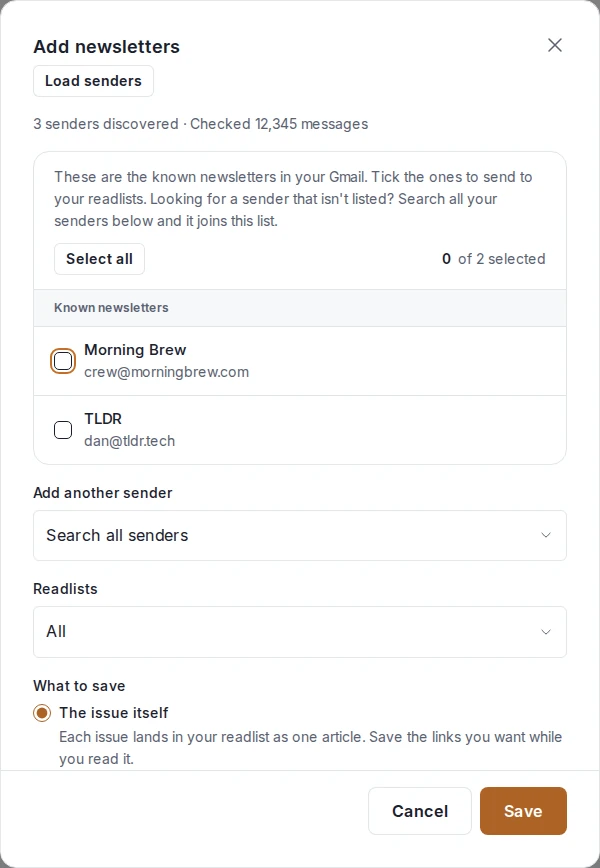
- Connect Gmail under Connectors. Press Load senders: Readplace lists your newsletters.
- Pick a sender, pick a readlist (defaults to All). Readplace writes the Gmail filter for you.
- Each issue lands as one article with a Save button next to every link. Or save just the linked articles. Or both.
- Nothing gets archived or marked read in Gmail as of yet (in progress).
- Tick "Import unread messages from the last 30 days" to get a month of backlog on day one.
- Spoiler alert: next up is an option to set preferences for readlists, so AI extracts and filters the links for you and you only get those that matter (10 newsletters mapped to the "Electrical Engineering" readlist? You'll only get things that match the readlist preferences. In progress, watch this space.)
Readplace creates filters in your Gmail account, so Google requires extra compliance review. Until that's done, slots are limited and unavailable for trial readers. They open to paid readers and active members first. Want in? Email Readplace.
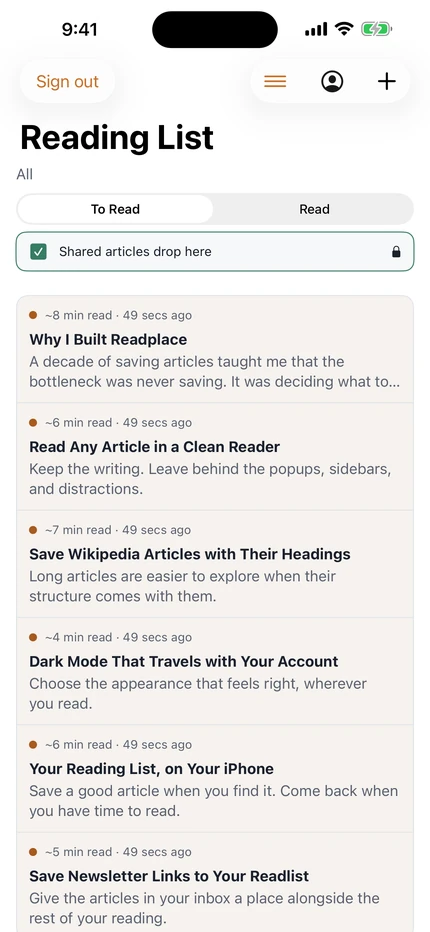
New in the iOS app
- Readlists. Switch between All and your lists. Pick several the first time you share a link in.
- Offline mode and EPUB. As above.
- Swipe to mark read. Swipe left all the way.
- Failed articles fix themselves. If we couldn't load an article due to website BOT defences, opening it captures the page from your phone, once, automatically.
- Appearance follows your account's Dark / Light / System choice.
Is that all?
Feedback, ideas, a page that looks off? Email Readplace.