For readers whose read-it-later app shut down
Your Pocket links, recovered.
Readplace is a read-it-later app: save a link now, read it later on a clean page. Start with the file Pocket gave you — every link in it is listed for you to keep or drop, and the account comes at the end, not the beginning.
No account needed to start. Nothing is saved to a readlist until you say so.
How the import works
Three steps, and you only sign up at the last one.
-
1
Upload the file Pocket gave you
Readplace scans any text-shaped file for http and https links, so a Pocket export, a browser bookmark export, CSV, OPML, Markdown or plain text all work through the same path.
-
2
Review what came across
Every link found is listed for you to keep or drop. Selections are held on the server rather than in the page, so reloading does not lose them.
-
3
Sign up to save the selection
You land back on the same review with your choices intact, and the links go into your readlist.
Where the links land
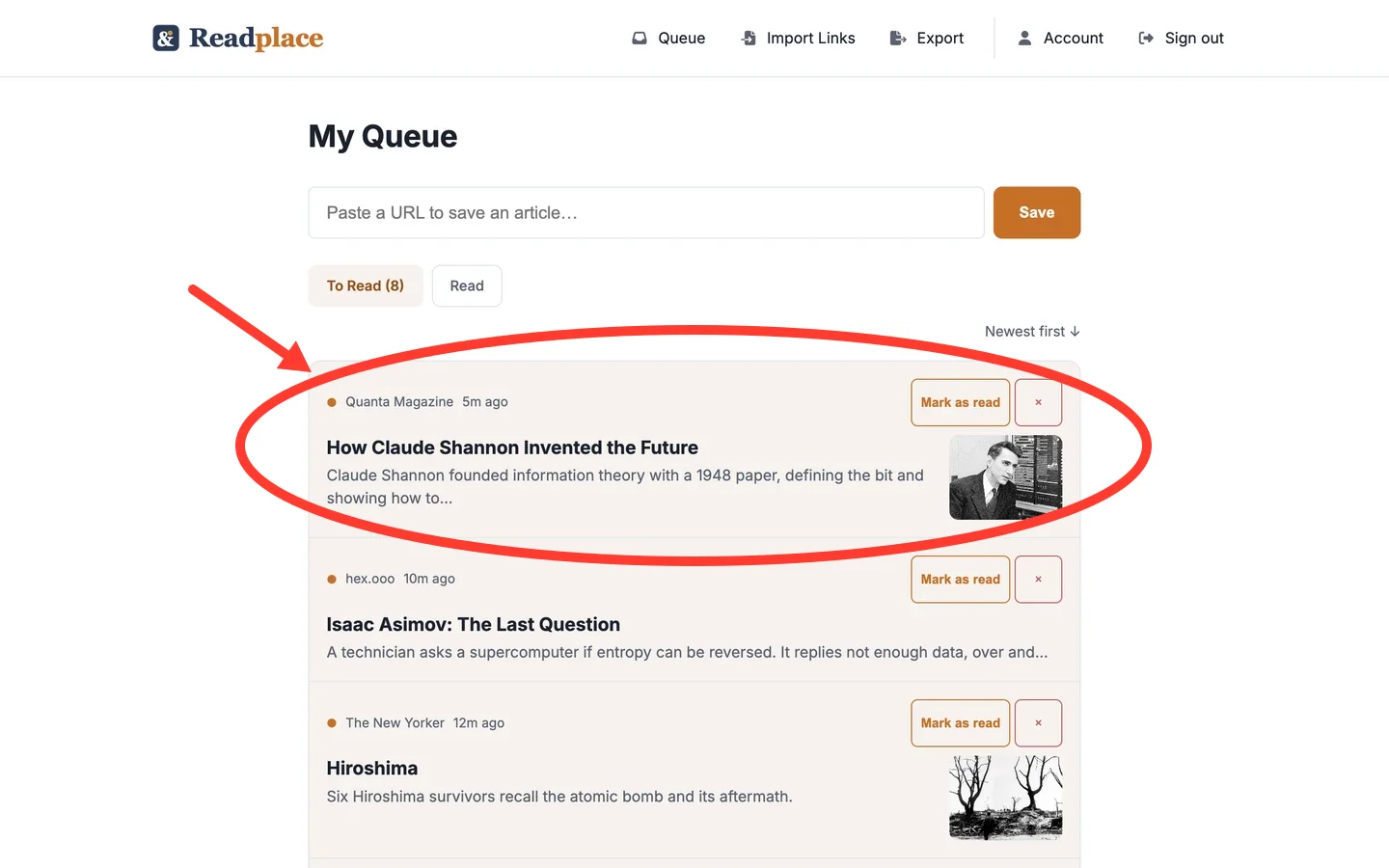
It just works.
What actually transfers
Being specific here matters more than sounding generous.
Readplace scans the file for URLs. That is the whole mechanism — it is not a Pocket-specific parser, which is why bookmark exports and newsletter issues work through the same code path.
Your URLs come across. Tags and read state do not, because Pocket's export file never contained them.
Each import takes up to 2,000 links from a file up to 4.5 MB. Past 2,000, Readplace imports the first 2,000 and tells you how many it found in total. If the file itself is over 4.5 MB, split it into smaller files and import them one at a time.
What this does not do
- Tags, folders and read state do not transfer. Pocket's export file does not contain them.
- One import takes up to 2,000 links. A file with more is imported up to that point, and the review tells you the total it found.
- Review sessions expire 24 hours after upload. After that, upload the file again.
- A review link works for anyone holding it, so treat it as an unlisted URL rather than a private page.
- Committing a large import takes a while and holds the page open while it runs. Keep the tab open until it finishes.
Questions
- Do I need an account to import?
- No. Upload the file and review the results straight away. An account is asked for when you save the selection to your readlist.
- What file formats work?
- Any text-shaped file: HTML, JSON, CSV, OPML, Markdown or plain text. Readplace scans for http and https URLs, so the exact format does not matter.
- Do my tags and read state come across?
- No. Only the URLs transfer, because Pocket's export file does not contain tags or read state.
- How many links can I import at once?
- Up to 2,000 per import, from a file up to 4.5 MB. Split a larger file into smaller ones and import them one at a time.
- What happens to my selections if I sign up halfway?
- They are kept. Signing up returns you to the same review with the same links selected, as long as it is within 24 hours of the upload.
- Do I need a credit card to start?
- No. Making the account starts a 14-day trial of the full product, and no card is asked for at any point in it. If you don't subscribe, nothing is charged.
- What happens to my links if I stop paying?
- You keep reading every one of them. The account goes read-only: the readlist, the reader and export all keep working, and you can still mark things read or delete them. Saving new links and importing are what stop.
What it costs once the links are across
Uploading and reviewing costs nothing and needs no account. Saving the selection does, and that account is a subscription: 14 days free, no card. After that $3/month.
$3/month is the whole business. No ad path, no data resale, and no investor whose timeline outlives yours — which is the failure mode you are on this page because of. The free read-it-later apps are compared on the same thing: who pays the bill when you don't.
If you never subscribe, nothing is charged and the account goes read-only, not dark — you keep reading every article you saved, and you can still export.
Google, Apple, or an email address. No card at any point in the trial.
Start with the file Pocket gave you
No account needed to see what comes across. The recovery guide covers getting the export out of Pocket, and the 2026 comparison of read-it-later apps lists the other apps that take it.