For readers with more newsletters than mornings
Keep the articles. Leave the packaging.
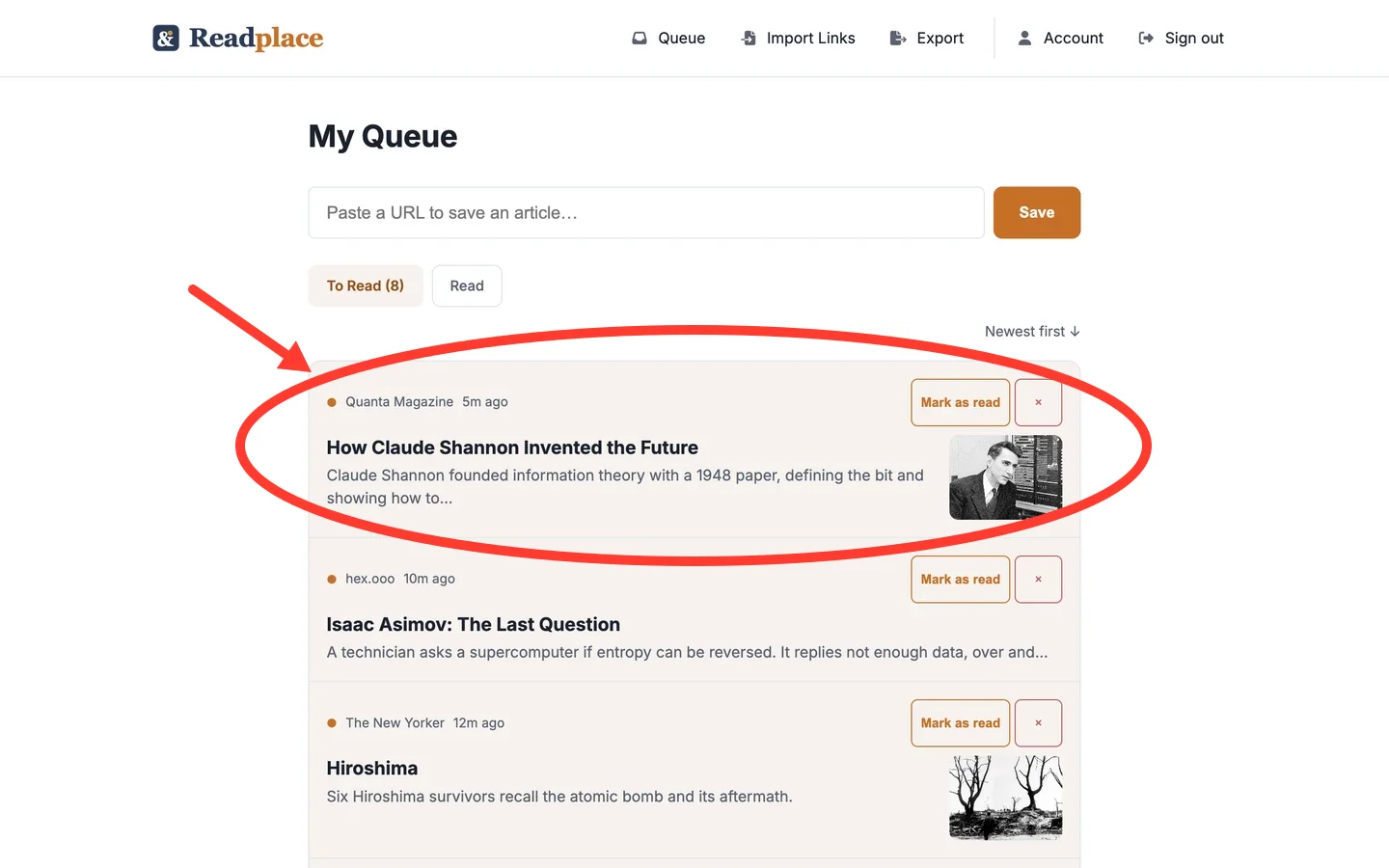
Make a Readplace address for each newsletter and point the newsletter at it. When an issue lands, the article links in it are saved to your readlist, read into a clean copy and summarised. The sponsor slots, menus and unsubscribe links stay behind.
Starts a 14-day trial. No card.
How an address works
Three steps, set up once per newsletter.
-
1
Make an address for one newsletter
Name it after the source, and Readplace adds 6 random characters, so TLDR becomes something like tldr-a7b2c9@read.place.
-
2
Point the newsletter at it
Subscribe with the address, or forward the issues you already get. The address doesn't touch your inbox.
-
3
Read the articles, not the email
Each article link is saved to your readlist like a link you pasted yourself, with a clean copy and an AI TL;DR.
Where the articles land
Fayner Brack, Founder & CEO of Readplace, wrote js-cookie, which browsers download about 22 billion times a year, and ran his own reading pipeline for ten years before it became Readplace. Why Readplace exists.
What gets through
An issue is mostly packaging, so the sorting is the product.
Links that match the newsletter's own unsubscribe header, or a known unsubscribe or confirm pattern, are set aside before anything is fetched. They are marked done and never opened.
A language model sorts the rest into articles, ads, menus, subscription links and noise. Only articles are saved. The others wait on the Skipped tab of that email, where one click saves any of them.
Each address stands alone. You can hold up to 25, and switching one off stops that newsletter without touching the others. Switching one back on takes a click on Enable in the disabled list.
What this does not do
- The email itself isn't saved as an article. A newsletter whose writing lives only in the email body can be read on its inbox page but never reaches your readlist.
- Attachments are dropped, so a PDF attached to an issue is not saved.
- An address only receives what is sent to it. Past issues in your inbox have to be forwarded one at a time.
- Up to 25 live addresses per account.
- A link the model labels wrongly is not saved automatically. It waits on the Skipped tab of that email, where you can save it by hand.
- Making an address needs an account with an active trial or subscription.
Questions
- Does a newsletter address read my Gmail or Outlook?
- No. A newsletter address doesn't touch your inbox. Each newsletter sends straight to its own Readplace address.
- What happens to the email itself?
- It stays on its inbox page, where you can read it. Only the article links in it are saved to your readlist.
- Will it click unsubscribe links?
- Unsubscribe and confirm links it recognises are never opened.
- How many newsletters can I send to it?
- Up to 25 addresses, one per newsletter.
- Can I stop one newsletter without unsubscribing?
- Yes. Switch its address off and mail to it stops being saved. You can switch it back on later.
- Do I need an account?
- Yes. Addresses belong to an account, and making one starts a 14-day trial with no card.
- What happens to saved articles if I stop paying?
- You keep reading them. The account goes read-only: the readlist, the reader and export keep working. Saving new links and importing are what stop.
What it costs
Addresses come with the account, and the account is a subscription: 14 days free, no card. After that $3/month.
If you never subscribe, nothing is charged and the account goes read-only, not dark — you keep reading every article you saved, and you can still export.
Google, Apple, or an email address. No card at any point in the trial.
Give one newsletter its own address
Takes a minute per newsletter. No card.